

The Player III
The Midifile Editor
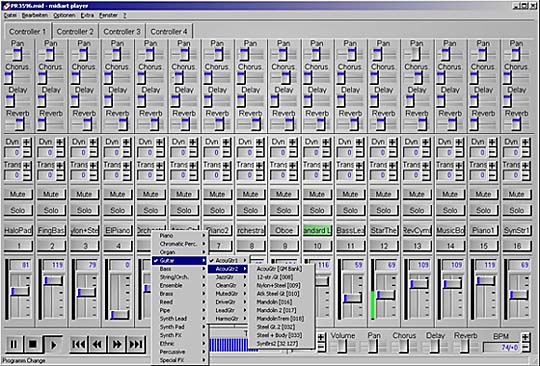
Edit midifiles easily like on a mixing console.
The free demo version can be found here.
Compatibility & Sounds
Broad Windows Compatibility
Optimized for maximum stability under Windows (from XP to Windows 10/11). On modern 64-bit systems, the program generally runs absolutely smoothly – we only recommend a quick preliminary test with our free demo to check the interaction with your individual MIDI drivers. Thanks to the clear interface, it's also ideal for mobile use on Windows tablets!
Completely new bank management
Sound banks are now managed by devices. You can also assign a sound set to each Midi-Out, so that after switching to another Midi-Out, the correct sounds are immediately available. Drum sets have been integrated into these sound banks; controllers for selecting drum sets are now also possible.
- Roland SC55
- Roland SC88
- Roland SC88pro
- Roland SC8850
- Yamaha XG
- Yamaha Tyros 1-5
- Korg PA500
Easyswitch for easier sound selection
The individual variations of the sounds drop down directly. In addition, the sound is tentatively selected when the mouse hovers over a sound.
Editing & Playback
Additional controllers for GM2 / XG sound changes
The following parameters can now be edited via controller:
- Modulation Depth
- Expression
- Filter
- Brightness
- Attack Time
- Decay Time
- Release Time
- Sostamento
- Vibration Depth
- Vibration Delay
- Vibration Rate
- Softness
Event editor for editing events
Individual notes, controllers, etc. can now be directly changed, added or deleted.
Plays MP3s and WAV files
(also from Jukebox and Playlist)
This way you can easily supplement your playlists with complete tracks. MP3s cannot be edited.
Simple setup wizard
After starting, TP3 queries some important parameters directly, so you can hardly go wrong.

Features at a glance
- Convert drums e.g. GM to KN1000
- Effect settings (Vol, Hall, Chorus, Delay etc.)
- Channel and Sound(PRG) changes
- Transpose in real time
- Convert format 0 to 1 or 1 to 0
- Jukebox function (manage all files)
- Up to 4096 selectable in sound banks
- Elaborate karaoke editor (for all keyboards)
- Different midi ports for each track individually
- Display size freely adjustable
And the program is sooo easy to use, compare it with your midifile editor.
The free demo version can be found here.
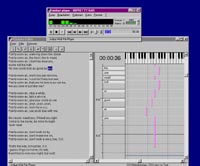
Now you can create your own karaoke files. Simple, and almost automatic.
Your PC as a stage midi player?
With The Player's software remote control, no problem. Simply usable via the keyboard of the midi keyboard. Start the computer, the program can also be loaded automatically via the Windows autostart group, and then you can simply forget about the computer.
You can now select and start the songs directly from your keyboard. In the jukebox you can manage your songs; a mini database with a simple search and sort function helps you with this.
The press is also enthusiastic
"The Player is certainly one of the most comprehensive and at the same time clearest programs for editing midifiles available in this price range."